

Integration of Syrve and a site on WooCommerce
Integration of your delivery site with Syrve
Available in the official WordPress plugin directory
Automate delivery without custom development
Optimize manager workflows, speed up order processing, and keep prices and stop lists up to date on your site.
-
Multi-organization support
Manage a chain of venues with flexible order routing. Orders are distributed automatically across restaurants, delivery zones, and shipping methods.
-
Advanced modifiers
Full support for complex menus: grouped modifiers, required add-ons, and dish sizes with automatic price recalculation.
-
Loyalty program
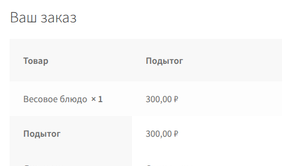
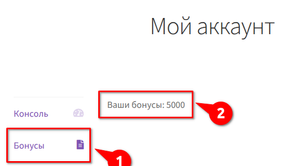
Built-in integration with Syrve Loyalty. Customers see their bonus balance, earn points, and can pay with rewards at checkout.
-
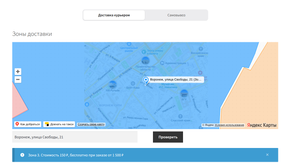
Interactive delivery zones
Yandex Maps integration. Address validation and delivery cost calculation on the fly while the customer places an order.
-
Order status display
Customers see a progress bar and up-to-date preparation status from Syrve Front on the order received page without reloading it.
-
Delivery management
A dedicated page for managers: pause delivery, enable surge pricing for traffic or weather, and toggle individual zones on or off in real time.
-
Flexible sync
Updates prices and stock only. Your SEO copy, custom dish names, and photo galleries in WooCommerce stay intact during menu import.
More capabilities for daily operations
- Scheduled menu auto-import
- Automatic stop list check
- Any WooCommerce payment methods and acquiring
- Checkout form: phone mask, delivery date and time
- Custom sale prices on the site
- Nutrition facts and allergens on product pages
- Priority technical support with Pro license
Pricing
Start free on WordPress.org, upgrade to Pro for full automation, or choose a turnkey launch.
-
MAXPOS Integration
Free version
- Manual menu and nomenclature import
- Flexible sync to protect SEO copy and images
- Nutrition facts and allergens on product pages
- Manual order export to the POS
- One organization and one terminal
- Ideal to evaluate the integration before upgrading
-
MAXPOS Integration Pro
Recommended
- Lifetime license for the plugin version you activate
- 1 year of updates and new capabilities included
- 1 year of technical support included
- Full automation: import, export, webhooks, and loyalty
- All premium modules included
-
Turnkey integration
Hands-on guidance through go-live
- Installation and baseline setup on your hosting
- Full menu export setup, including modifiers
- End-to-end order flow validation with Syrve
- Priority support through launch
Already using Pro?
14-day money-back guarantee. If the solution does not meet your business goals, we will refund your payment.
Need custom functionality? We can extend the plugin to match your establishment's requirements.
Compare versions
See what is included in the free plugin and what Pro adds for full delivery automation.
Version 3.0.9 · October 12, 2026
| Feature | Free version | MAXPOS Integration Pro |
|---|---|---|
| Menu and nomenclature import | Manual | Scheduled auto-import (configurable interval) |
| Flexible sync (SEO and content protection) | ||
| Custom sale prices on the site | ||
| Nutrition facts and allergens on product pages | ||
| Order export | Manual (button in admin) | Automatic (on checkout or after online payment) |
| Online payment export to POS | Developer hook only | Automatic with any WooCommerce gateway |
| Order export via WooCommerce shipping methods | Single terminal | Per shipping method to the right terminal |
| Organizations and terminals | 1 organization, 1 terminal | Multi-organization routing |
| Dish modifiers and sizes | ||
| Webhooks (stop lists, statuses) | ||
| Delivery zones on a map (Yandex) | ||
| Easy control of key delivery settings | ||
| Custom checkout fields (time, guests, and more) | ||
| Loyalty (Syrve Loyalty, bonuses) | ||
| Kitchen orders (QR tables) | ||
| Live order status on the order received page |
Screenshots
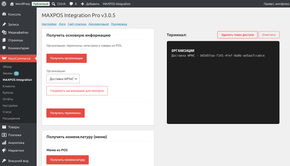
Plugin main page with an overview of features and settings
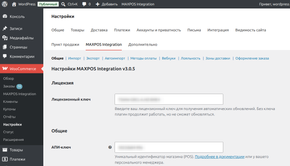
General settings configuration
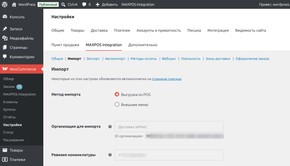
Import settings
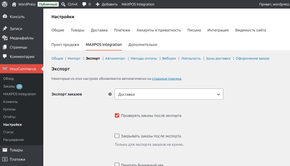
Export settings
Pro: Auto-import configuration via Cron
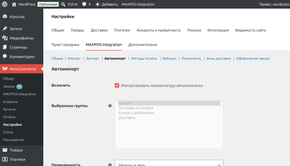
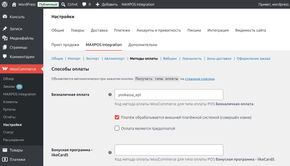
Pro: Payment type configuration
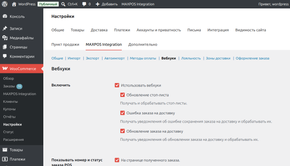
Pro: Webhook settings
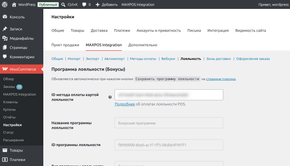
Pro: Loyalty program settings
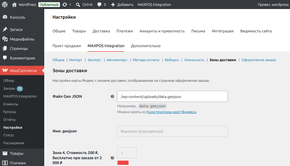
Pro: Delivery zones map configuration
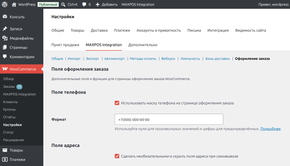
Pro: Checkout page customization
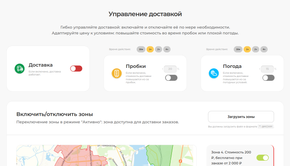
Pro: Frontend delivery management module
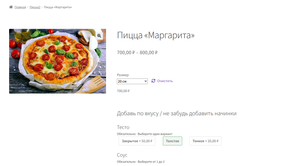
Pro: Product modifiers on the frontend
Pro: Checkout page with interactive delivery map and zones validation
Pro: Loyalty program at checkout
Pro: Loyalty bonuses in customer account
Frequently asked questions
Can I use the plugin for free?
Will sync overwrite my SEO copy and photos?
I run several restaurants. Does the plugin support that?
Can customers pay with loyalty points?
Is setup difficult? Do I need a developer?
Installation follows standard WordPress steps and we provide detailed documentation.
Prefer a hands-off launch? Choose the turnkey plan — we install, configure, and run test orders with you.
Will the plugin work with my WooCommerce theme?
The plugin follows WordPress and WooCommerce standards and works with the vast majority of themes on the market. Integration is designed to feel seamless.
We are happy to help integrate the plugin with your theme or site on an individual basis. Get in touch
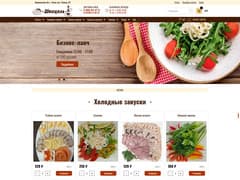
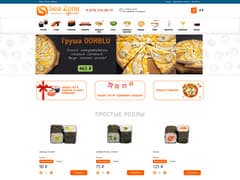
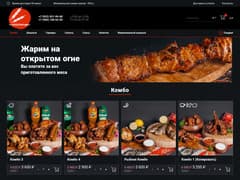
Plugin operation examples
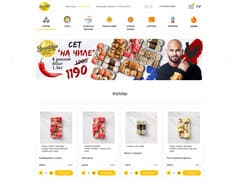
Real delivery sites using our solution
We also integrate WooCommerce with the popular accounting system Frontpad.